

...
Sale!

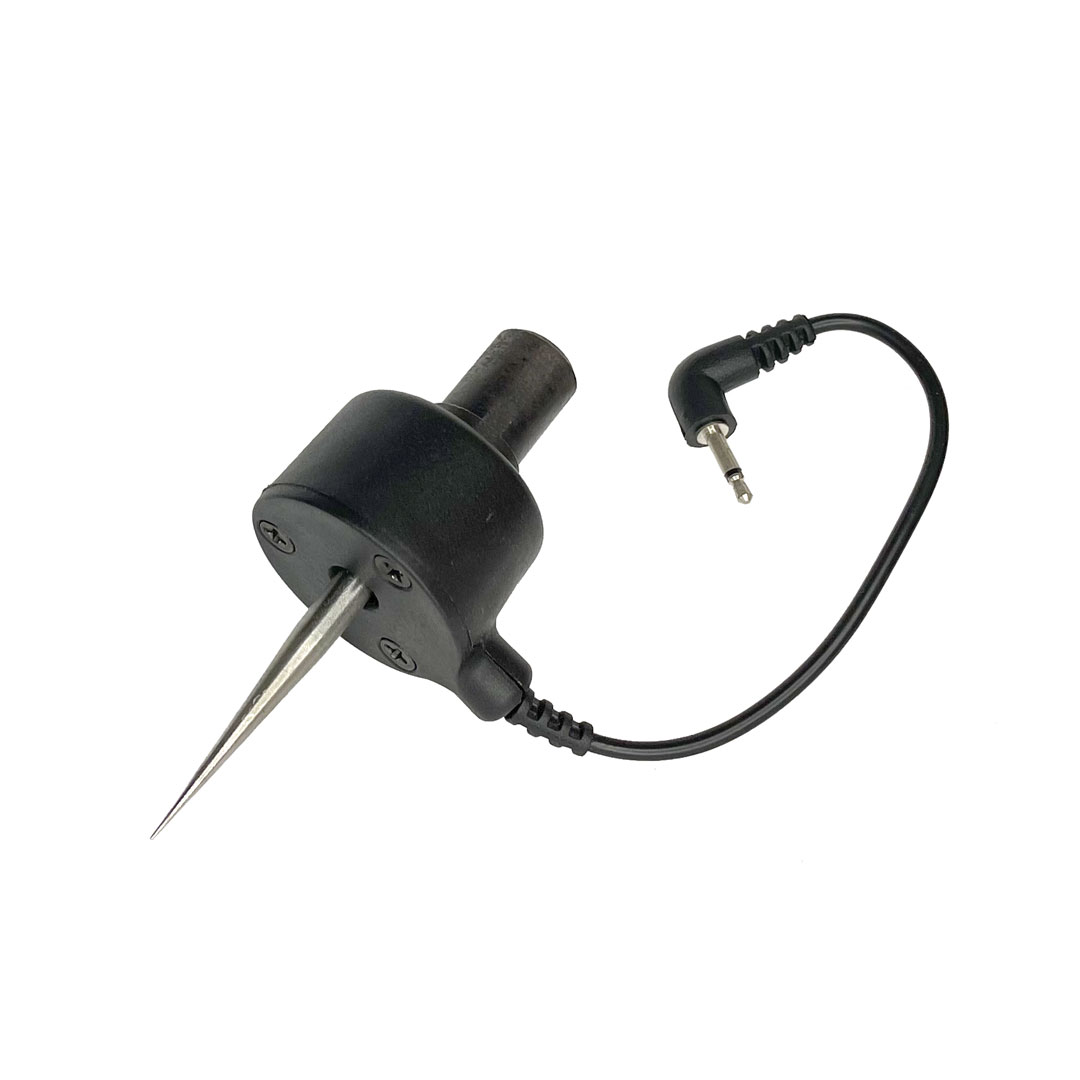
Scanning Probe

Original price was: $299.99.Current price is: $150.00.

Bring the physical world into your digital designs with the CarveWright Scanning Probe. This powerful accessory transforms your CarveWright CNC System into a capable 3D scanner, allowing you to capture the shape and detail of real-world objects and reproduce them with precision.

Whether you’re restoring antique furniture, matching decorative trim, or duplicating hand-sculpted artwork, the Scanning Probe makes it easy to convert existing objects into carveable digital models. Simply plug the probe into your machine, define the scan area in the software, and let the probe automatically map the surface of your object.

The probe works with a wide variety of materials—from hardwood and plastics to softer materials like clay or wax—making it ideal for artists, restorers, woodworkers, and product designers alike.

What you can do with the CarveWright Scanning Probe:

  • Reproduce original carvings and decorative elements
  • Repair or replicate damaged antique furniture parts
  • Copy trim, moldings, and architectural details
  • Digitize hand-sculpted models for carving or modification
  • Capture textures and contours from real objects

With the CarveWright Scanning Probe, your inspiration doesn’t have to start on a computer screen. Scan it, carve it, and bring your ideas to life.

- +
Scanning Probe

Turn Your CNC Into A 3D Scanner

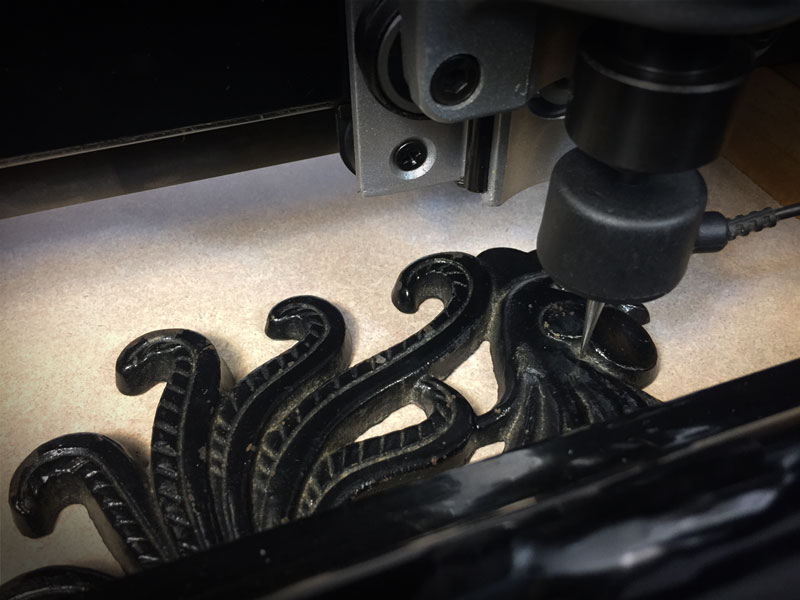
The CarveWright Scanning Probe opens up the world of 3D scanning to anyone. Now you can reproduce original pieces, repair antique furniture, even copy trim and moldings with ease. Almost any material can be scanned, even soft materials, such as clay or wax. Just plug the probe into the CNC, set the desired scan area, and watch it go to work.

Scanning Probe Action

From the Real World, to the Digital World

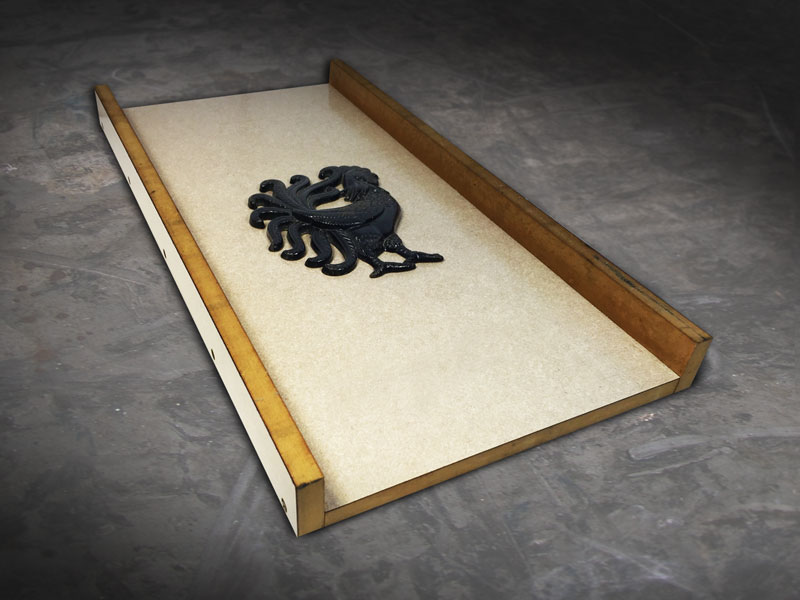
Scanning Sled

SELECT YOUR OBJECT

Select any relief object to scan and secure it to a scanning sled. The sled is a simply constructed carrier board for holding the object while it is scanned in the CarveWright Machine. (Instructions for building this sled are included in the manual.)

Scan Object

SCAN IT

Load the sled into the machine just as you would a board for carving, crank the head down, and plug in the scanning probe. The menu on the machine will default to the scan menu, so you can choose your scan settings and begin the scanning process.

Edit Scan

EDIT YOUR SCAN

Once the scan is finished, the scan data is contained on the memory card. Plug the memory card into the card reader on your computer and from Designer, download the scans. This download scan software has tools for doing a quick clean up of the scans. If you have Pattern Sculptor, the scans will automatically download into this software, where more advanced editing features are available. Learn More

CARVE IT

When the editing is finished in Pattern Editor, the scan is then saved into your pattern library where it becomes just like any other pattern for carving. You can add it to your designs, change the depth, height, scale, and then carve it out.
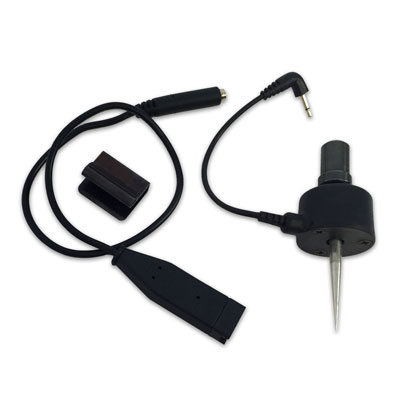
INCLUDED WITH PROBE

Included with Probe

• Scanning Probe
• Jumper Cable
• Cable Retainer Clip
• Scan Download Software

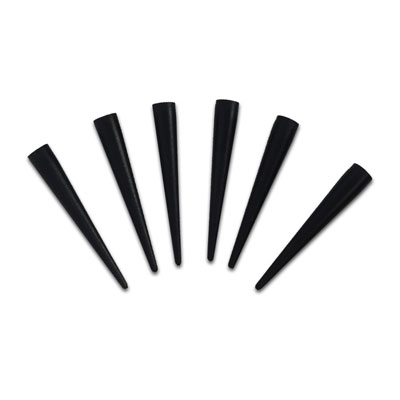
PROBE SOFT TIPS

Sold Separately
Probe tips

Scanning probe tips help to protect more delicate scanning surfaces from scratching and gouging. We recommended using a protective tip when scanning surfaces such as plaster or antiques.

$14.99 – Package of 6

SOFTWARE UPGRADE

Sold Separately
CarveWright Sculptor

Pattern Sculptor is a sculpting and editing software tool for 3D relief carving patterns. Quickly and intuitively, smooth, smudge, and add or remove details to prepare patterns for carving.

LEARN MORE >
Scroll to Top
Stay In The Loop!

Subscribe To Our Email List

Get notified about new articles, sales, projects, tutorials, and other learning tips.