Sculptor 3

$199.99

Shape, repair, and refine 3D relief models with intuitive freeform sculpting tools. Sculptor lets you work directly with the surface of a model to smooth imperfections, reshape features, add or remove material, and prepare detailed artwork for carving.

  • Sculpt & Reshape
    Push, pull, smooth, smudge, raise, and lower areas of your model to shape organic details that are difficult to create with traditional modeling tools.
  • Clean Up 3D Models
    Repair and refine imported STL models, scanned objects, AI-generated reliefs, downloaded patterns, and models created with Modeling Suite.
  • Add & Remove Detail
    Use brushes and selection tools to add material, remove unwanted features, blend transitions, and fine-tune the surface of your design.
  • Create Organic Forms
    Ideal for working with faces, animals, foliage, terrain, drapery, natural textures, and other detailed relief artwork.
  • Prepare Models for Carving
    Smooth rough areas and clean up unwanted artifacts to turn an unfinished 3D model into a polished, carve-ready pattern.

DOWNLOAD SOFTWARE

- +
sculptor 3 logo

Powerful 3D Relief Sculpting & Editing

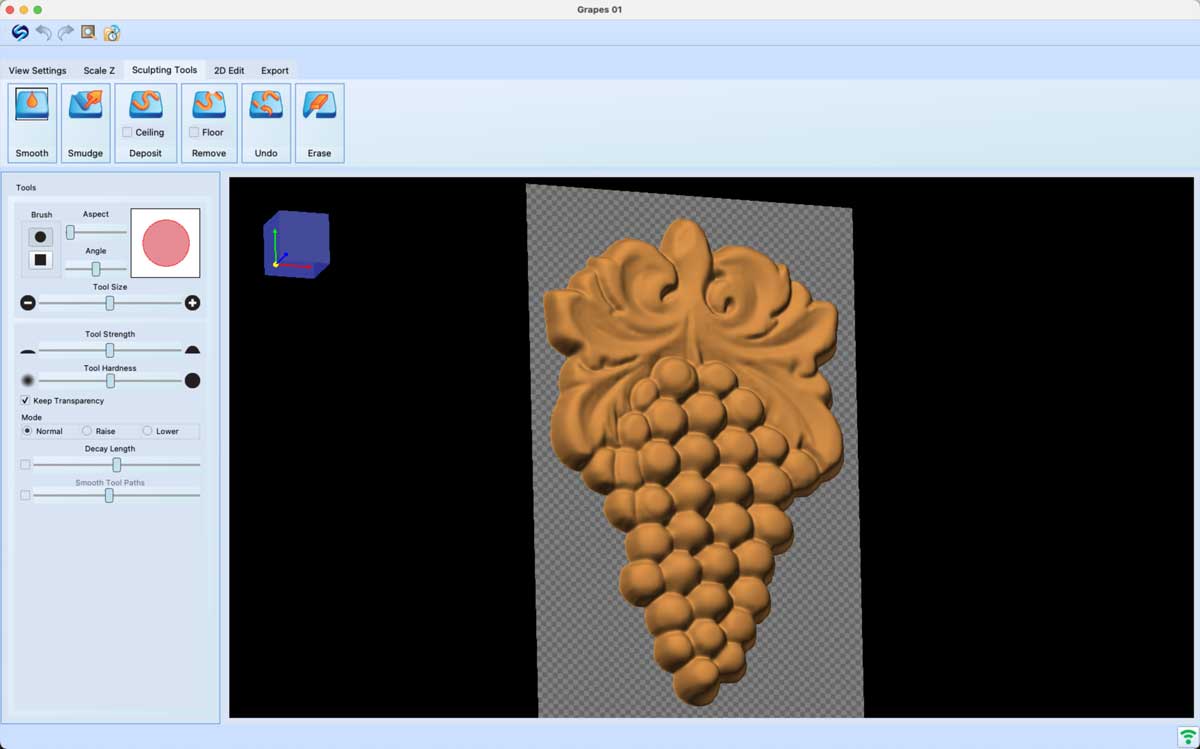
Sculptor is a creative sculpting and editing tool for 3D relief carving patterns. Quickly and intuitively smooth, smudge, and add or remove details to prepare patterns for carving.

THE TOOLS YOU NEED, THE EASE-OF-USE YOU EXPECT

Sculptor before and after lion face

CLEAN UP PATTERNS

Whether it’s a scan made with your Scanning Probe, a pattern made with the Modeling Suite, or an image or pattern imported from elsewhere, these tools allow for quick and seamless editing to correct or alter the original artwork.

Sculptor before and after grapes

ADD OR REMOVE DETAILS

Sometimes, there are details you need in a pattern that you just can’t get with the existing tools in Designer or other packages. With Sculptor, those details are a few mouse clicks away. Sculpt in fine details, raise and lower specified areas, erase parts you don’t need, and so much more.

Sculptor before and after 3D Venus statue

MAKE 3D TO RELIEF

With so many free 3D files available these days, it’s nice to be able to transform them into useable relief patterns. With the Sculptor tools, we can make a 3D model flat and enhance it to bring out the important details.
Sculptor 2D Edit Tools

2D EDIT TOOLS

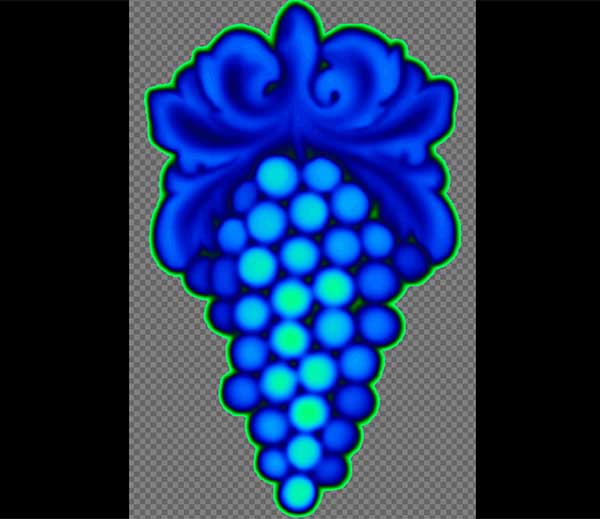
The 2D view adds another dimension to the powerful capabilities of Sculptor. There are a set or selection tools for selecting areas for masked editing. These include a rectangle, circle, and polygon drawing tools as well as a magic wand. Use the 2D brush, fill, and erase tools or use any of the 3D sculpting tools on the selected area.


Edit Any Pattern!

Any pattern can be edited, including those purchased from the Pattern Depot and opened from Designer 5!

Floating Point Z Depth

Sculptor 2 and Designer 5 utilize floating point for an incredible z depth resolution. 

Easy Licensing

Simply login with the same login as Designer 5 and activate or use in demo mode.

Import & Export Directly From Designer

Double click on a pattern in your My Patterns folder and it opens in Sculptor. When you are finished editing, save it back to Designer for a quick and seamless project workflow. Scans, made with the Scanning Probe, will also open into Sculptor when downloaded from your memory card.

*Requires Designer 5 or newer

 
CarveWright Sculptor

Import & Export Directly From Sculptor

Sculptor works as a standalone software, meaning you can run it independently of Designer. This allows for files to be loaded straight into the software from a variety of formats, including: PNG, BMP, OBJ, STL, SCP and PTR.

You can also export OBJ or STL files from Sculptor allowing for maximum compatibility with other 3D software programs.

See How It Works

View Tutorials

Manual

Scroll to Top