Create complete 2D and 3D CNC projects in one intuitive design environment. Designer 6 combines vector design, 3D carving, text, image and model imports, machining tools, and a built-in pattern library for CarveWright, RAVEN, and other compatible CNC machines.
2D & 3D Design
Combine vectors, text, images, patterns, textures, and 3D elements on a virtual project board.
Powerful Vector Tools
Create and edit geometry with Shape Builder, Boolean operations, Offset Path, Mirror tools, Copy Array, and more.
Flexible Imports
Import SVG, DXF, STL, and image files to create or customize your own projects.
Built for CNC
Design, optimize, and prepare projects for carving and routing within one workflow.
CarveBot AI Assistant
Get built-in help finding tools, learning features, and working through your projects.
Windows & macOS
A modern, hardware-accelerated platform built for today’s CNC workflow.
Try out the software today with a free trial. DOWNLOAD
Designer allows for 2D and 3D carving right out of the box. Just arrange your design on the screen how you want it to carve and then upload. It automatically compiles the project without any programming decisions so you can take it to the machine and carve.
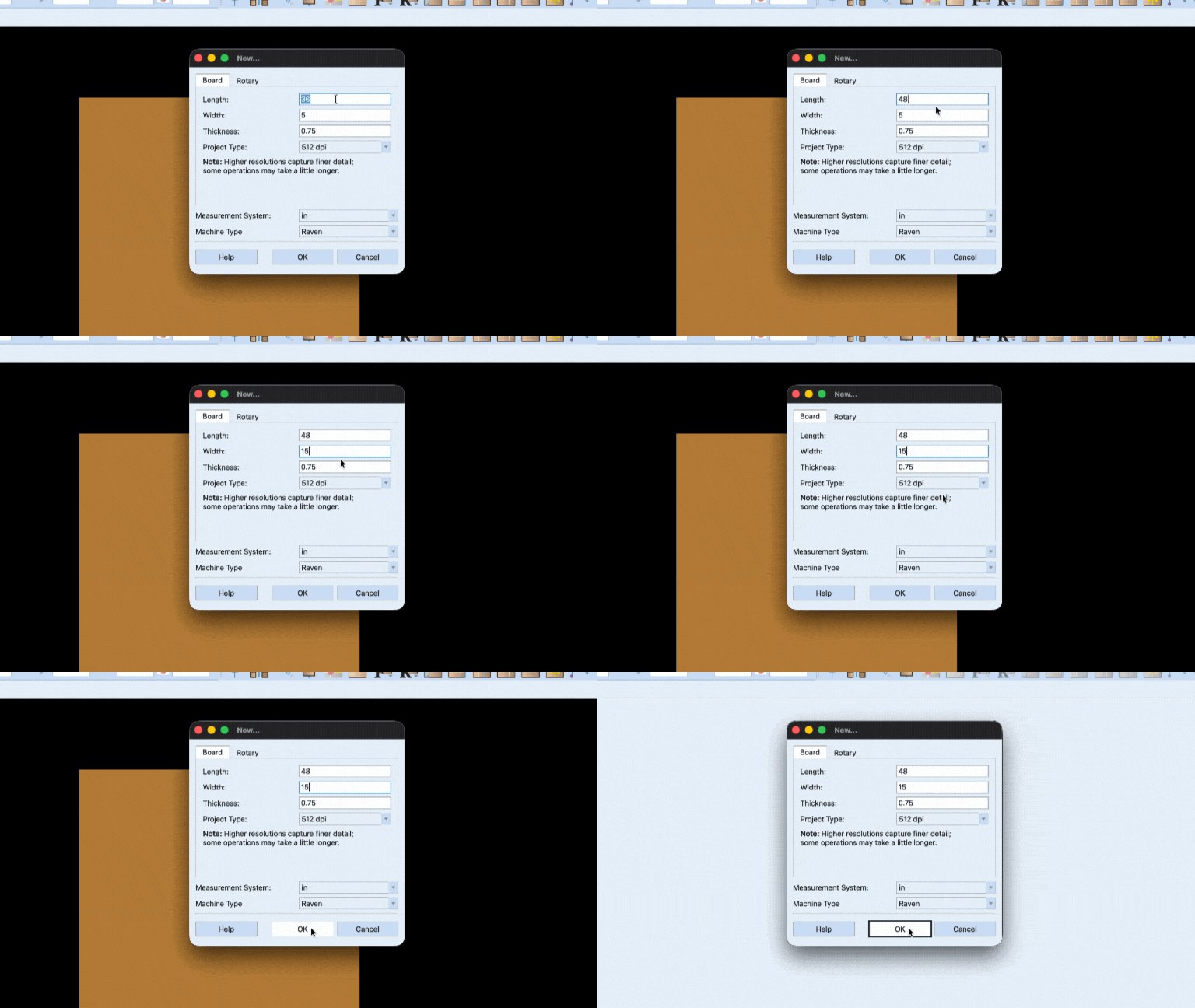
1. Start With Your Board
Enter the size of the material you’re carving and Designer shows it on screen as a real 3D board. What you see is what comes off the machine.
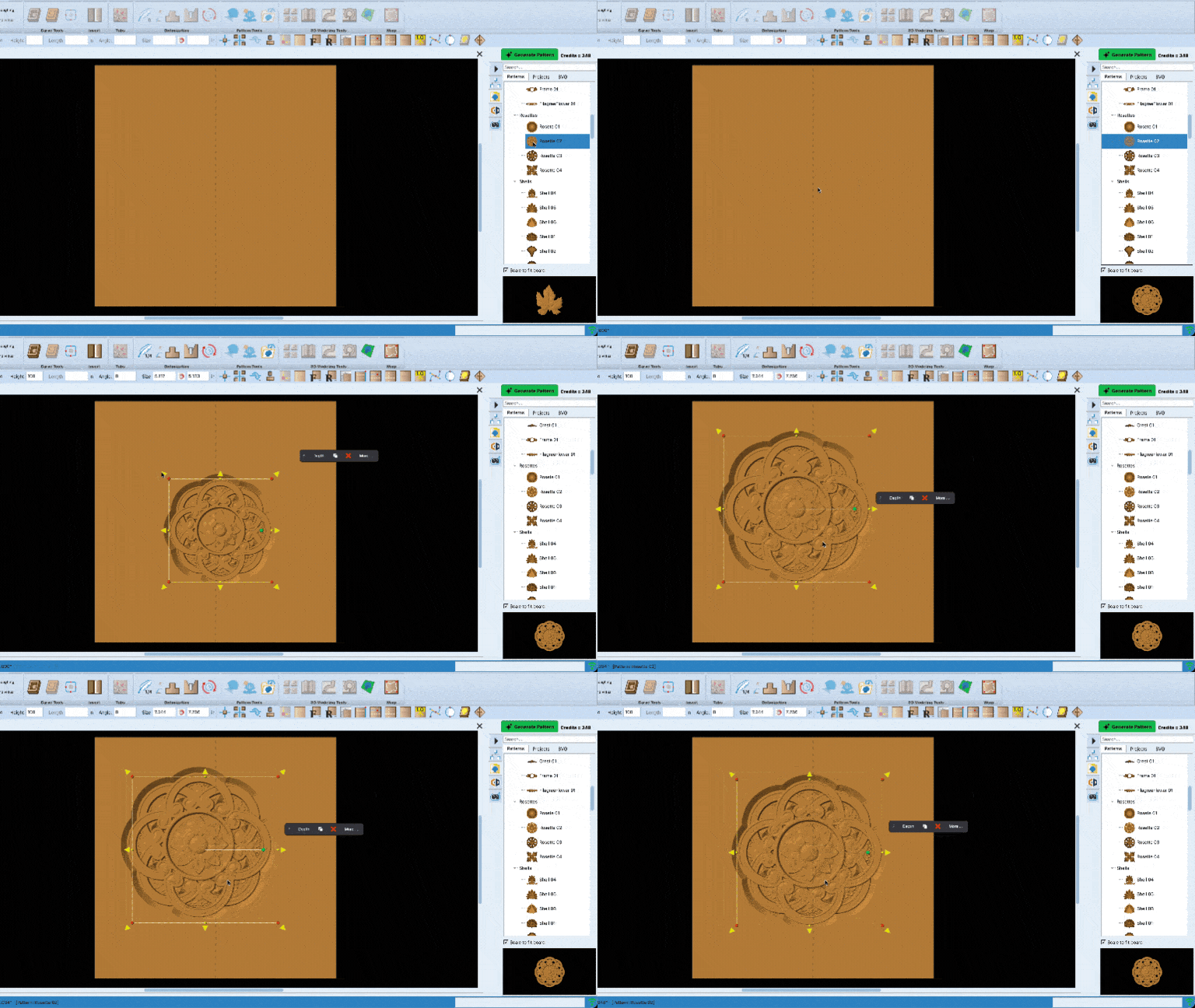
2. Arrange Your Design
Drag patterns, text and vectors onto the board and move them around until it looks right. Overlapping 3D carvings merge into a single surface on their own.
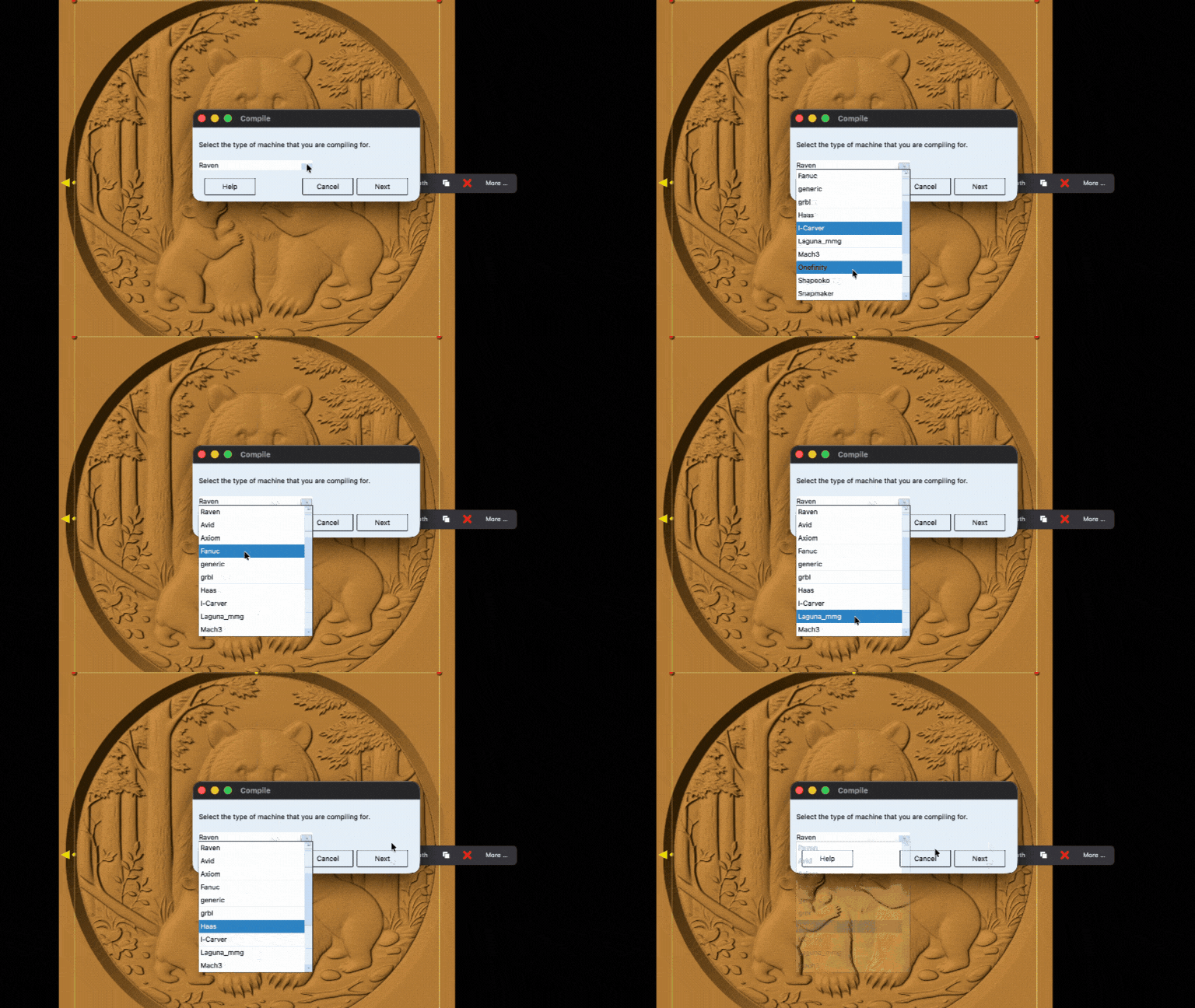
3. Send It To Carve
Prepare machine-ready output and turn your digital design into a finished project.
Tools For Creating Anything
Designer starts with a virtual 3D project board where you can build your project by placing and arranging the elements you want to carve.
Add text, patterns, images, vectors, and 3D components. Overlapping 3D elements merge automatically as you build, making complex projects easier to create without manually managing complicated operations.
3D Carving
Place relief patterns and watch them auto-merge into intricate compositions. Add textures and domes with a click.
Drawing Tools
Draw precise vector lines and shapes, then turn them into carvings or cut paths.
2D Cutting
Turn any line into a cutout, or assign a router bit to profile, pocket or drill it.
Text Tool
Add text with a click of a button using any TrueType or OpenType fonts.
Image and Vector Import
Bring in JPG, PNG, SVG and more, and work them straight into the design.
3D Importing Tool
Import any STL file from outside sources to your software’s pattern library.
Included libraries
Includes 75 3D patterns, hundreds of SVG files, and 2 free projects.
Custom Bit Settings
The software comes with preset bit settings, but gives you the freedom to add new bits and customize settings to suit your machine.
Automated Tiling
Carve larger than your machine with auto-tiling which splits an oversized project into carve-able strips with seam guides.
CarveBot AI Assistant
Ask how to do something and get an answer grounded in the manual, with the exact ribbon button highlighted on screen.
AI Pattern Making
Describe what you want, or start from a photo, and get a ready-to-carve pattern. Flat artwork can be raised into a full 3D relief in one click.
CarveDepot Store
Browse thousands of patterns and projects within Designer and try on your board before you buy. Plus, publish your patterns to the store directly from the software.
Add the features you need, when you need it.
Each add-on module brings exciting features into your Designer software. Rather than selling a high priced software package with features you’ll never use, you can build your software into what you need when you need it.
Explore Our Add-On Modules
Vcarve Suite
Add professional V-carving, centerline engraving, conforming vectors, and advanced vector carving to Designer. Create crisp lettering, detailed graphics, and carved designs that follow flat or contoured surfaces.
Drawing Suite
Create and edit your own vector artwork directly in Designer. Drawing Suite adds advanced drawing, tracing, path editing, and vector manipulation tools for creating precise custom CNC designs.
Modeling Suite
Create your own 3D relief patterns directly in Designer. Extrude, sweep, puff, and shape vector geometry into dimensional components for signs, decorative carvings, and original 3D projects.
DXF Layout
Bring precision vector drawings from CAD and illustration software into Designer. Import DXF files, scale and arrange components, repair connected geometry, tile oversized designs, and prepare layouts for CNC production.
Slicer
Turn full 3D STL models into CNC projects. Scale your model, divide it into carvable sections, machine the individual pieces, and assemble them into a finished three-dimensional object.
Sculptor
Shape, repair, and refine 3D relief models with intuitive sculpting tools. Smooth surfaces, remove unwanted details, add new features, and turn imported or modeled artwork into carve-ready patterns.